Async and cancellation
Every conversion and save method has an async twin that takes a CancellationToken. Use them in web applications and services, so a request does not tie up a thread and a slow document can be abandoned.
The code
using DocWright;

var converter = new DocWrightConverter();

// Give up after one minute, whatever the document does.
using var timeout = new CancellationTokenSource(TimeSpan.FromMinutes(1));

await using FileStream input = File.OpenRead("letterhead.docx");
await using FileStream output = File.Create("letterhead.pdf");

ConversionResult result = await converter.ConvertAsync(input, output, options: null, timeout.Token);
The result
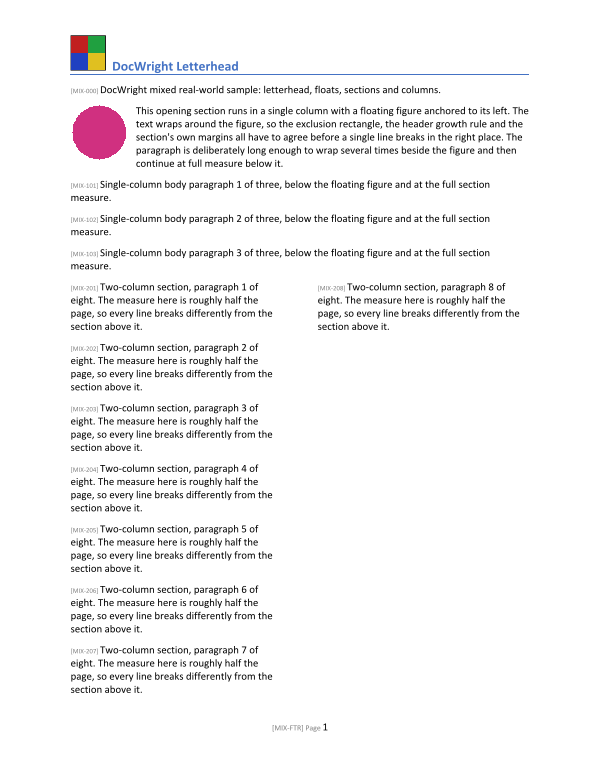
The async members
| Synchronous | Asynchronous |
|---|---|
Convert(Stream, Stream, ConvertOptions?) |
ConvertAsync(Stream, Stream, ConvertOptions?, CancellationToken) |
Convert(WordDocument, Stream, ConvertOptions?) |
ConvertAsync(WordDocument, Stream, ConvertOptions?, CancellationToken) |
Save(WordDocument, Stream, string, SaveOptions?) |
SaveAsync(WordDocument, Stream, string, SaveOptions?, CancellationToken) |
Two kinds of deadline
A CancellationToken is a deadline you control, for example the HTTP request being aborted. ConvertOptions.Limits.MaxWallClockTime is a deadline DocWright enforces itself, and it throws ResourceLimitExceededException when it trips. Use both for documents from outside:
var options = new ConvertOptions();
options.Limits.MaxWallClockTime = TimeSpan.FromSeconds(30);

await converter.ConvertAsync(input, output, options, httpContext.RequestAborted);
Reporting progress
Set ConvertOptions.Progress to any IProgress<ConversionProgress> to follow a long conversion. Each report carries the Stage (reading, resolving, laying out, rendering pages) and, while rendering, PagesCompleted of PagesTotal.
Next
Handle errors: what can go wrong, and how to catch it.