Insert breaks and hyperlinks
Word's Ctrl+Enter, Ctrl+Shift+Enter and Shift+Enter are InsertBreak; Insert Link, Edit Link and Remove Link are AddHyperlink, InsertHyperlink, ChangeHyperlink and RemoveHyperlink. Each is one undoable DocumentEdit, and each writes what Word writes.
Breaks
using DocWright.Core.Document;
using DocWright.Dom;
using DocWright.Dom.Editing;

// Ctrl+Enter before "The results": the paragraph splits and the break stands alone between the halves.
DocumentEdit page = document.InsertBreak(DocumentPosition.InParagraph(first, 29), BreakKind.Page);
Paragraph results = page.After.Paragraph;
Console.WriteLine($"page break: {document.Sections[0].Blocks.Count} paragraphs, the caret at the start of \"{Text(results)}\"");

// Shift+Enter: a line break at the caret, the paragraph kept whole.
document.InsertBreak(DocumentPosition.InParagraph(results, 12), BreakKind.TextWrapping);
Console.WriteLine($"line break: \"{Text(results)}\"");
| Kind | What Word does, and what the edit does | Refused in |
|---|---|---|
BreakKind.Page |
The paragraph splits as Enter splits it, and the break stands in a paragraph of its own between the halves, in the default paragraph style. At a paragraph's start there is no empty first half; at its end an empty paragraph follows. In a table cell, at any depth, the break's paragraph goes before the outermost table. After is the start of the paragraph after the break. |
headers, footers, notes, text boxes |
BreakKind.Column |
The paragraph splits and the break starts the second half; at a paragraph's start it goes in without a split. | as a page break, and table cells (Word inserts nothing there) |
BreakKind.TextWrapping |
A line break at the position, formatted as text typed there would be. | nowhere |
A refusal is an InvalidOperationException. To replace a selection with a break, as Word does, delete it first with DeleteRange.
Section breaks
using DocWright.Core.Document;
using DocWright.Dom;
using DocWright.Dom.Editing;

// A next-page section break at the end of the text, and the new section made landscape.
DocumentEdit brk = document.InsertSectionBreak(DocumentPosition.EndOf(first), SectionStartKind.NextPage);
document.FormatSections(new DocumentSpan(brk.After, brk.After), f => f.SetPaper(PaperSize.Letter, PageOrientation.Landscape));
document.InsertText(brk.After, "This section is landscape.");
Console.WriteLine($"sections: {document.Sections.Count}, the second {document.Sections[1].Format.Orientation}");

// Backspace at the second section's start removes the break: the text takes the later section's format.
DocumentEdit removed = document.MergeWithPrevious(brk.After.Paragraph);
Console.WriteLine($"after Backspace: {document.Sections.Count} section, {document.Sections[0].Format.Orientation}");
removed.Undo();
Output
sections: 2, the second Landscape
after Backspace: 1 section, Landscape
pages: portrait, landscape
InsertSectionBreak splits the paragraph at the position, as Word's Layout > Breaks does: the earlier section keeps the format and the header and footer references, the new one has the same page format, starts as SectionStartKind says (NextPage, Continuous, EvenPage, OddPage) and shows the earlier one's headers. Backspace at a section's start (MergeWithPrevious) and a DeleteRange across sections remove the break: the text takes the later section's format and keeps its headers. A break in a table, content control, header or note is refused.
Page colour
using DocWright.Core.Primitives;
using DocWright.Dom;
using DocWright.Dom.Editing;

document.SetPageColor(caret, new DocColor(ColorRgb.FromRgb(0xFF, 0xF2, 0xCC)));
Console.WriteLine($"background {document.Background?.Rgb}, shown: {document.Settings.DisplayBackgroundShape}");

DocumentEdit none = document.SetPageColor(caret, null);   // No Color
Console.WriteLine($"after No Color: background {(document.Background is null ? "none" : "set")}, shown: {document.Settings.DisplayBackgroundShape}");
none.Undo();                                               // the colour again
Output
background FFF2CC, shown: True
after No Color: background none, shown: True
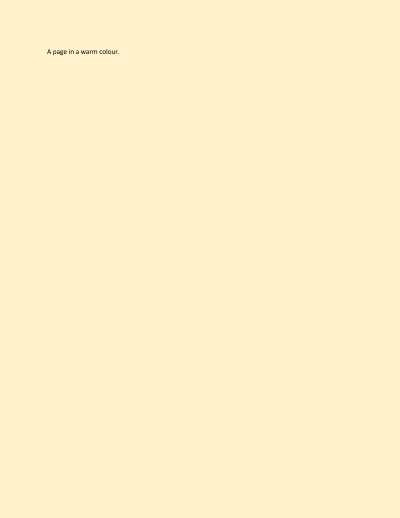
SetPageColor is Design > Page Color as one undoable edit: it sets the document's background (w:background) and turns on DocumentSettings.DisplayBackgroundShape, which Word writes with it and without which the colour is not painted. Every page gets a page-sized fill behind its content, in the layout, the PDF and the images. A null colour (No Color) removes the background and leaves the setting, as Word does.
Page borders
using DocWright.Core.Document;
using DocWright.Core.Primitives;
using DocWright.Dom;
using DocWright.Dom.Editing;

var span = new DocumentSpan(caret, caret);
var edge = new BorderEdge
{
    Style = "single",
    Width = new Twips(30),       // 1.5 pt
    Space = new Twips(480),      // 24 pt from the page edge
    Color = new DocColor(ColorRgb.FromRgb(0x1F, 0x4E, 0x79)),
};
document.FormatSections(span, f => f.PageBorders = new PageBorders
{
    Top = edge,
    Left = edge.Clone(),
    Bottom = edge.Clone(),
    Right = edge.Clone(),
    OffsetFrom = PageBorderOffset.Page,   // null: measured from the text
});
Console.WriteLine($"offset from {document.Sections[0].Format.PageBorders!.OffsetFrom}, top {document.Sections[0].Format.PageBorders!.Top!.Width}");

DocumentEdit none = document.FormatSections(span, f => f.PageBorders = null);   // None
Console.WriteLine($"after None: {(document.Sections[0].Format.PageBorders is null ? "no borders" : "borders")}");
none.Undo();                                                                     // the box again
Output
offset from Page, top 30tw
after None: no borders
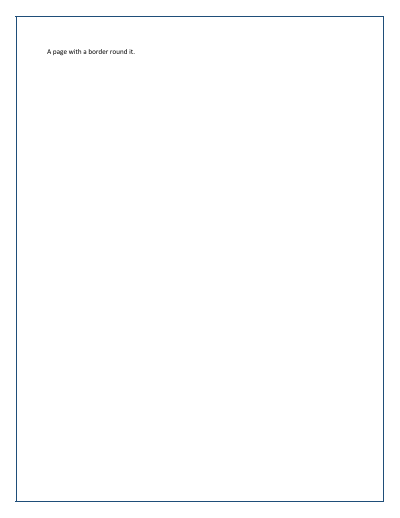
A section's page borders (w:pgBorders) are section formatting, so Design > Page Borders is a FormatSections edit on SectionFormat.PageBorders. Measured from the page edge, an edge's Space is the distance to the line's outer side; measured from the text (OffsetFrom null), to its inner side, and the text area then reaches up to the header and down to the footer unless DocumentSettings.BordersDoNotSurroundHeader / BordersDoNotSurroundFooter is set (a FormatSettings edit). Display shows them on the section's first page only or on every page but it, ZOrder = PageBorderZOrder.Back draws them behind the text, and Shadow on the right and bottom edges draws Word's shadow. An edge left null is not drawn, and its neighbours run on to the page edge. Art borders (picture styles such as apples) are kept on save and not drawn, with one UnsupportedFeature warning.
Line numbers
using DocWright.Dom;
using DocWright.Dom.Editing;

var span = new DocumentSpan(caret, caret);

// Layout > Line Numbers > Continuous: every line of the body counted and numbered in the margin.
document.FormatSections(span, f => f.LineNumbering = new LineNumbering { CountBy = 1, Restart = LineNumberRestart.Continuous });

// Suppress for current paragraph: the drafting note is neither numbered nor counted.
DocumentPosition note = DocumentPosition.StartOf(paragraphs[2]);
document.FormatParagraphs(new DocumentSpan(note, note), p => p.SuppressLineNumbers = true);

LineNumbering numbering = document.Sections[0].Format.LineNumbering!;
Console.WriteLine($"count by {numbering.CountBy}, restart {numbering.Restart}, first line shows {(numbering.Start ?? 0) + 1}");
Output
count by 1, restart Continuous, first line shows 1
numbers drawn: 1 2 3 4
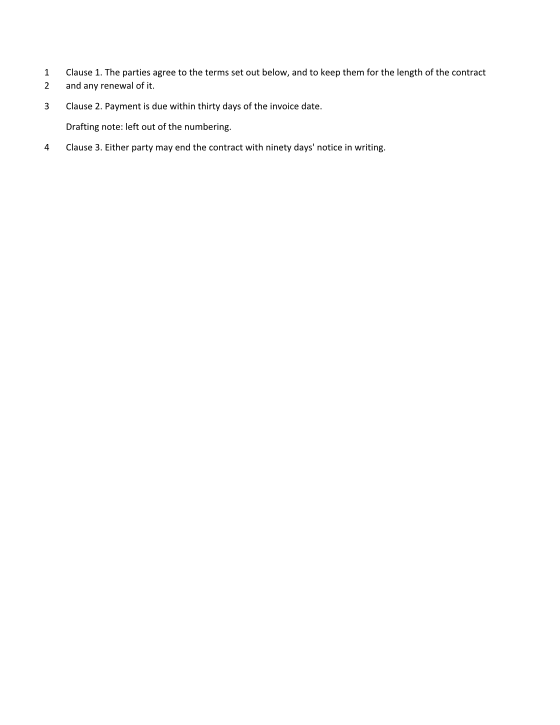
A section's line numbers (w:lnNumType) are section formatting, so Layout > Line Numbers is a FormatSections edit on SectionFormat.LineNumbering, and Suppress for current paragraph a FormatParagraphs edit on SuppressLineNumbers. Every line of the body's paragraphs is counted, empty ones too; tables, headers, footers, notes and a suppressed paragraph are neither numbered nor counted. The multiples of CountBy are drawn right-aligned 0.25" left of the text (or Distance), on the line's baseline, in the Line Number character style. Restart null starts again on each page, EachSection at each section, Continuous never. Start is Word's w:start: its dialog's "Start at 5" is Start = 4.
Hyperlinks
using DocWright.Dom;
using DocWright.Dom.Editing;

// Select "the site" and make it a link, as Insert > Link does.
var site = new DocumentSpan(DocumentPosition.InParagraph(first, 19), DocumentPosition.InParagraph(first, 27));
document.AddHyperlink(site, HyperlinkTarget.ToUri("https://docs.albahadly.com/", tooltip: "The documentation"));

// The link the caret is in, its text, and a new address for it.
HyperlinkStart link = DocumentPosition.InParagraph(first, 22).FindHyperlink()!;
DocumentSpan text = link.GetSpan();
Console.WriteLine($"link over offsets {text.Start.Offset}-{text.End.Offset} to {link.Target}");
document.ChangeHyperlink(link, HyperlinkTarget.ToUri("https://github.com/albahadly/docs"), text: "the repository");
Console.WriteLine($"changed: \"{Text(first)}\" -> {link.Target}");

// Insert new link text at the end, then remove a link: its text stays.
DocumentEdit inserted = document.InsertHyperlink(DocumentPosition.EndOf(results), " (online)", HyperlinkTarget.ToUri("https://example.com/"));
HyperlinkStart online = inserted.Before.FindHyperlink()!;
document.RemoveHyperlink(online);
Console.WriteLine($"removed: \"{Text(results)}\" keeps its text, links left {first.Inlines.OfType<HyperlinkStart>().Count() + results.Inlines.OfType<HyperlinkStart>().Count()}");
Output
page break: 3 paragraphs, the caret at the start of "The results follow."
line break: "The results |follow."
link over offsets 19-27 to https://docs.albahadly.com/
changed: "Read the report on the repository. " -> https://github.com/albahadly/docs
removed: "The results |follow. (online)" keeps its text, links left 1

- The style. A link's runs take the
Hyperlinkcharacter style and keep their own direct formatting: a bold word stays bold. The document gets the style the first time it needs one, as Word adds it: based on the default paragraph font, underlined, in the theme's hyperlink colour. Text inserted withInsertHyperlinktakes only the style, not the formatting around it. - The target.
HyperlinkTarget.ToUriwrites an external relationship of the link's part;HyperlinkTarget.ToBookmarknames a bookmark of the same document, which must exist. An address is 1 to 2083 characters, a bookmark name 1 to 40, a tooltip at most 255, none with a control character (ArgumentExceptionotherwise). - Overlaps. Links never nest. A link that a new one overlaps is cut back to its parts outside the new one, so nothing outside the new link changes.
- Across paragraphs. A span across paragraphs gets one link per paragraph, each to the same target: a
w:hyperlinkcannot span paragraphs. Word writes aHYPERLINKfield there instead. - Finding a link.
FindHyperlinkgives the innermost link containing a position, its two ends included;GetSpangives the link's content.ChangeHyperlinkwith new text replaces the content with one run formatted like its first run, and refuses a link that holds a picture, a note reference or a field.RemoveHyperlinkkeeps the text and takes theHyperlinkstyle off it.
Each edit's ChangedParagraphKeys lets a LayoutSession re-lay out only what changed (Edit text at a position). A laid-out link is a LinkRegion of kind ExternalUri or InternalLink, which is how a viewer makes it clickable.