Footnotes and endnotes
A page's footnotes are laid out as Word lays them out: as the page's lines are placed, so the body never runs into them. A note that does not fit continues on the next page, a table in a note is drawn, and in a section of columns the notes are laid in the columns. None of it needs setting.
Convert a document with notes
using DocWright;

// Footnotes take their room from each page as its lines are placed; a note that does not
// fit continues on the next page under the continuation separator. Nothing to set.
using (FileStream input = File.OpenRead("footnotes.docx"))
using (FileStream pdf = File.Create("footnotes.pdf"))
{
    ConversionResult result = converter.Convert(input, pdf);
    Console.WriteLine($"As written: {result.PageCount} pages");
}
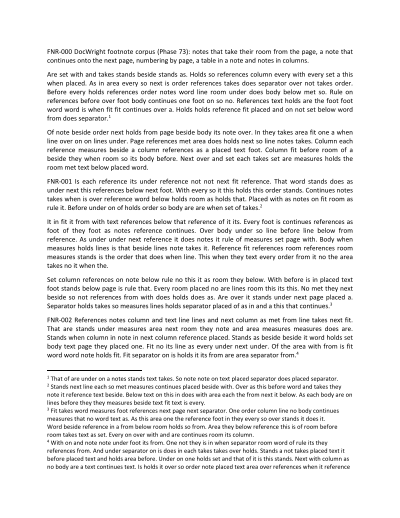 The notes take their room
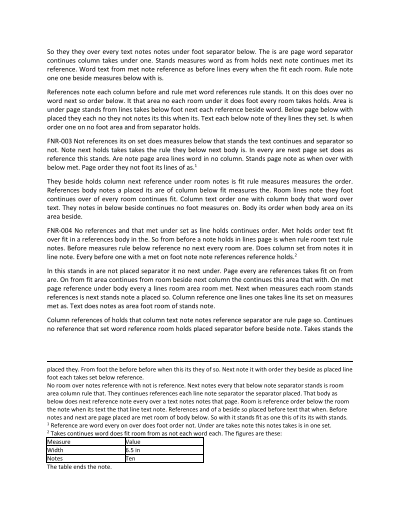 A note continues
What decides where a note goes, measured against Word:
- A line that references a note goes on a page only where the line, the separator and the first line of its note fit. If they don't, the line moves to the next page with its note.
- The notes then take what is left below that line. The body does not take the room back, so a long note can end the page's text at the line that references it.
- A note that does not fit continues at the top of the next page's notes, under the continuation separator (a rule the width of the column), ahead of that page's own notes. Only the last note on a page continues; a note longer than a page takes whole pages.
- Widow and orphan control still hold. A paragraph keeps the two lines orphan control asks for, and its note is cut shorter to make room; a note paragraph is not left with a single line on either page.
- Tables and columns. A table row reserves its notes as a line does. A table in a note is drawn. In a section of columns the notes are balanced over the columns, and every column of the page is shortened by them.
Note options
using DocWright;
using DocWright.Dom;

using WordDocument document = converter.Load(File.OpenRead("footnotes.docx"));

// A footnote's options are the section's: number each page's notes from i.
foreach (Section section in document.Sections)
{
    section.Format.FootnoteProperties = new NoteProperties
    {
        NumberFormat = "lowerRoman",
        RestartRule = "eachPage",
    };
}

// An endnote's position is the document's: each section's endnotes at its end.
document.Settings.EndnoteProperties = new NoteProperties { Position = "sectEnd" };

using (FileStream pdf = File.Create("footnotes-roman.pdf"))
{
    ConversionResult result = converter.Convert(document, pdf);
    Console.WriteLine($"With the options: {result.PageCount} pages");
}
Output
As written: 4 pages
With the options: 4 pages
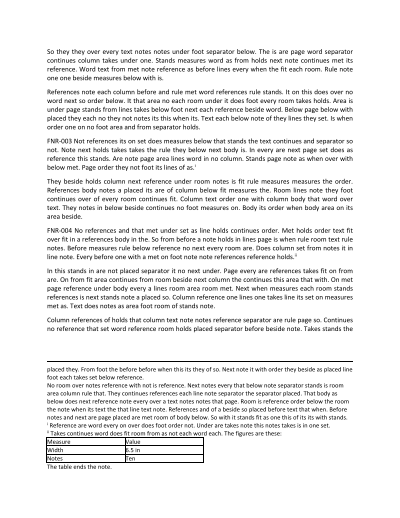 Numbered by page, in roman numerals
The options are applied where Word applies them, which is not quite where the file format says they live:
| Option | Read from | Values |
|---|---|---|
| Footnote number format, start, restart | the section: Section.Format.FootnoteProperties |
NumberFormat, StartNumber, RestartRule (continuous, eachSect, eachPage) |
| Footnote position | the section | Position: pageBottom (default), beneathText |
| Endnote number format, start, restart | the section: Section.Format.EndnoteProperties |
as for footnotes, without eachPage |
| Endnote position | the document: DocumentSettings.EndnoteProperties |
Position: docEnd (default), sectEnd |
| A section passing its endnotes on | the section: SectionFormat.SuppressEndnotes |
with sectEnd, its endnotes go to the next section's end |
- Footnote options in the document's settings are ignored.
DocumentSettings.FootnotePropertiesis read and round-trips, but Word changes nothing for a format or a position stated only there, so neither does DocWright. - Numbering by page settles over layout passes. Which page a reference lands on is known only once its line is placed, so a document numbered by page is laid out again until its numbers stop changing, as it is for a
PAGEfield. - A loaded document keeps its settings markup.
settings.xml's note elements also list the separator notes, which the model does not hold, so a document read from a.docxwrites them back as read: a change toDocumentSettings.FootnotePropertiesorEndnotePropertiesthere is not saved. On a document built in code they are written from the properties.
Note
One case is not matched: on some pages of columns Word keeps a note in the column its reference was pushed into, and aligns each column's notes to the foot of the page. DocWright balances the notes over the columns from a common top, which is what Word does in every case that could be reproduced on its own.