Shapes and text boxes
XlsxDocumentSheet.Shapes lists a sheet's shapes, text boxes, connectors and groups: each one's DrawingML preset, its text, its fill and outline, and where it is. A shape is added as Excel's Insert Shapes adds one, and removed; everything about a shape that is not modelled is kept as it was. Measured against Excel: listed as Excel lists them, and shapes added here opened and listed by Excel as added.
dotnet add package DocWright.Spreadsheet
List a sheet's shapes
using DocWright.Spreadsheet;

XlsxDocument workbook = XlsxDocument.Open(File.OpenRead("sales-objects.xlsx"));
XlsxShapes shapes = workbook.FindSheet("Objects")!.Shapes;
foreach (XlsxShape shape in shapes)
{
    Console.WriteLine($"{shape}: text '{shape.Text.Replace("\n", " / ")}', at {shape.Anchor.From}");
}
Pictures (Pictures), charts (Charts) and form controls (Controls) are listed apart.
Add and remove a shape
using DocWright.Core.Primitives;
using DocWright.Spreadsheet;

XlsxShape callout = shapes.Add("roundRect", "A24", new XlsxShapeOptions { Text = "Totals checked", FillColor = ColorRgb.FromRgb(255, 192, 0) });
XlsxShape note = shapes.Add("rect", "E24", new XlsxShapeOptions { Text = "First\nSecond", TextBox = true });
Console.WriteLine($"added {callout} and {note}");
shapes.Find("Circle")!.Remove();
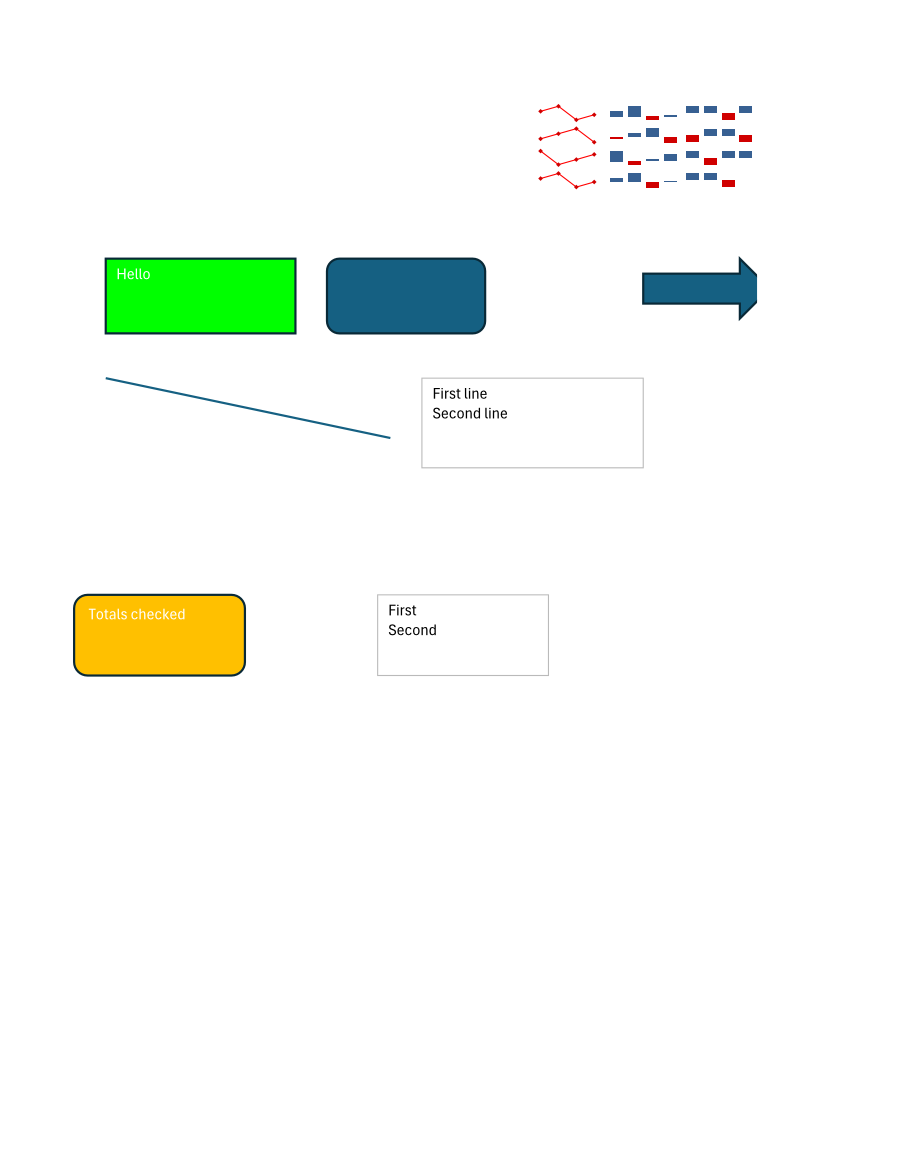
Box (Shape, rect): text 'Hello', at A9 +254000 +0
Rounded (Shape, roundRect): text '', at D9 +203200 +0
Circle (Shape, ellipse): text '', at F9 +508000 +0
Arrow (Shape, rightArrow): text '', at H9 +304800 +0
Line (Connector, line): text '', at A14 +254000 +63500
Note (TextBox, rect): text 'First line / Second line', at E14 +355600 +63500
Pair (Group): text '', at A19 +254000 +127000
added Shape 8 (Shape, roundRect) and TextBox 9 (TextBox, rect)
The preset is the name the file format uses (rect, roundRect, ellipse, rightArrow, and the other DrawingML presets). A shape takes the theme's look unless given a fill; a text box is white with a thin grey outline. Download the workbook: sales-shapes.xlsx.
Shapes on the printed page
A sheet converted to PDF or images draws its shapes, text boxes and lines as Excel prints them: each preset outlined by the same table a document's shapes use, filled and outlined as the shape or its theme style says, its text wrapped in the shape. Its sparklines are drawn in their cells.
using DocWright.Spreadsheet;
using DocWright.Spreadsheet.Rendering;

using (FileStream pdf = File.Create("sales-shapes.pdf"))
{
    new SpreadsheetConverter().ToPdf(workbook, pdf, new SpreadsheetPdfOptions { Layout = new SpreadsheetLayoutOptions { Sheets = new[] { "Objects" } } });
}
Groups of shapes and form controls are kept, but not drawn.