Load once, render many
Load parses a document into a WordDocument without rendering it. Load once when you want several outputs from one document, or when you want to inspect or edit it first.
The code
This loads a three-page report, then writes the cover page and the remaining pages as two PDFs and a thumbnail of every page:
using DocWright;
using DocWright.Core.Primitives;
using DocWright.Dom;
using DocWright.Renderers.Imaging;

var converter = new DocWrightConverter();

// Parse once. WordDocument may hold a spill file for large parts, so dispose it.
using WordDocument document = converter.Load(File.OpenRead("quarterly-report.docx"));

// 1. The first page on its own, as a cover sheet.
using (FileStream cover = File.Create("cover.pdf"))
{
    converter.Convert(document, cover, new ConvertOptions { Pages = PageRange.Single(1) });
}

// 2. Everything after it.
using (FileStream rest = File.Create("remaining-pages.pdf"))
{
    converter.Convert(document, rest, new ConvertOptions { Pages = PageRange.Parse("2-") });
}

// 3. A 240-pixel-wide PNG thumbnail of every page.
var thumbnails = new ImageRenderOptions
{
    Width = 240,
    PageEncoded = (page, png) => File.WriteAllBytes($"page-{page}.png", png),
};
converter.ConvertToImages(document, thumbnails);
The result
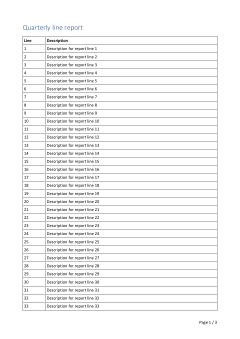 page-1.png
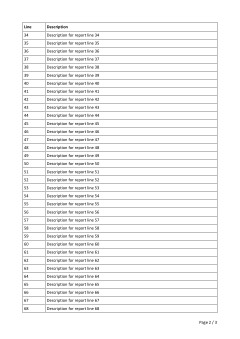 page-2.png
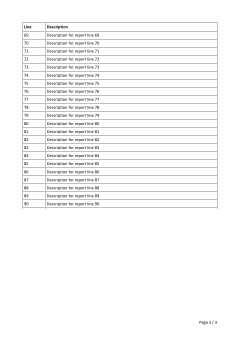 page-3.png
ConvertToImages.Choosing pages
ConvertOptions.Pages takes a PageRange (namespace DocWright.Core.Primitives). It works the same for PDF and for images:
| You want | Write |
|---|---|
| One page | PageRange.Single(1) |
| A closed range | new PageRange(2, 4) |
| Everything from page 2 on | PageRange.Parse("2-") |
| Several pieces | PageRange.Parse("1,3,5-7") |
| All pages (the default) | PageRange.All |
Sizing images
ImageRenderOptions renders at 150 DPI by default. Ask for a size instead with Width, Height, MaxWidth, MaxHeight or ScalePercent, as the sample does with Width = 240. Pages arrive one at a time through PageEncoded, or through PageStreamFactory when you want to stream each page straight to storage. Page images covers JPEG quality, backgrounds and the fit modes.
Note
WordDocument is IDisposable. It can hold a temporary spill file for very large parts, so always dispose it with using. The document model is not thread-safe: use one document from one thread at a time.
Next
Async and cancellation: run conversions without blocking, with a deadline.