Headers, footers and fields
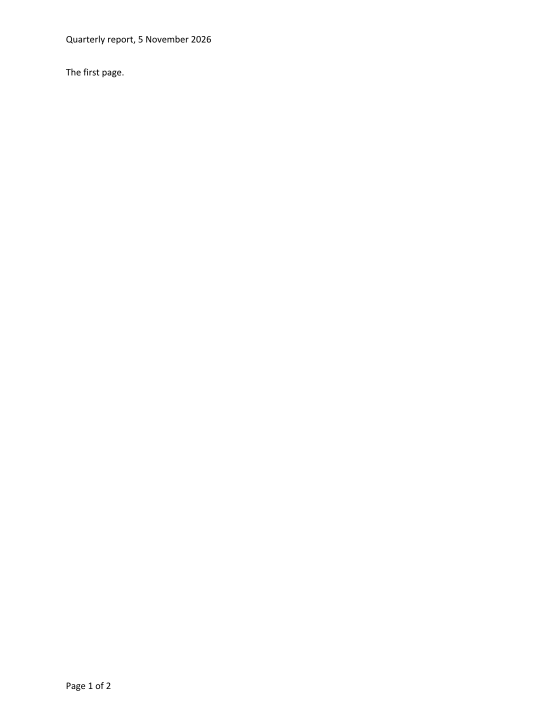
AddHeaderFooter and RemoveHeaderFooter give a section its own header or footer, or link it back to the previous section's, as undoable edits; text in a header is edited with the same position edits as the body's; InsertField puts a field such as PAGE in at a position.
The code
using DocWright.Dom;
using DocWright.Dom.Editing;
using DocWright.Dom.Fields;

Section section = document.Sections[0];

// A header with a date, and a footer with the page number.
DocumentEdit header = document.AddHeaderFooter(section, HeaderFooterKind.Header, HeaderFooterType.Default);
document.InsertText(header.After, "Quarterly report, ");
var clock = new FieldUpdateOptions { Clock = new DateTimeOffset(2026, 11, 5, 9, 0, 0, TimeSpan.Zero) };
document.InsertField(DocumentPosition.EndOf(header.After.Paragraph), "DATE \\@ \"d MMMM yyyy\"", clock);

DocumentEdit footer = document.AddHeaderFooter(section, HeaderFooterKind.Footer, HeaderFooterType.Default);
document.InsertText(footer.After, "Page ");
document.InsertField(DocumentPosition.EndOf(footer.After.Paragraph), "PAGE");
document.InsertText(DocumentPosition.EndOf(footer.After.Paragraph), " of ");
document.InsertField(DocumentPosition.EndOf(footer.After.Paragraph), "NUMPAGES");

Console.WriteLine($"header style: {header.After.Paragraph.Format.StyleId}, footer style: {footer.After.Paragraph.Format.StyleId}");
Output
header style: Header, footer style: Footer
page 1: Page 1 of 2
page 2: Page 2 of 2
page 1: section 0, header Default, shows 1
page 2: section 0, header Even, shows 2
How it works
- A new header or footer is one paragraph in Word's Header or Footer style, which is added to the document (centre and right tabs at the text width) when it has none.
- Links between sections. A section without its own header of a type uses the previous section's.
GetEffectiveHeaderFooterfollows that link;AddHeaderFooteron a linked section gives it a copy of what it used, andRemoveHeaderFooterlinks it back (a part no section uses leaves the document). - Pages.
HeaderFooterType.Firstis used when the section has a different first page (FormatSections(span, f => f.TitlePage = true));Evenwhen the document has different odd and even pages (FormatSettings, below). - Fields.
InsertFieldwrites Word's complex field. PAGE and NUMPAGES are evaluated per page when the document is laid out; a DATE takes the clock in theFieldUpdateOptionsgiven, so output stays deterministic. A table of contents: Tables of contents and updating fields.
Which header a page uses
Different odd and even pages is a document setting: FormatSettings changes it as one undoable edit. A laid-out page says what it is in LayoutPage.Info: the section that started it, the header and footer variant it calls for, and the page number it displays.
using DocWright.Core.Rendering;
using DocWright.Dom.Editing;
using DocWright.Layout;

// Different odd and even pages is a document setting, changed as an undoable edit.
DocumentEdit oddEven = document.FormatSettings(DocumentPosition.StartOf(body), s => s.EvenAndOddHeaders = true);

// Each laid-out page says its section, the header variant it calls for and the number it shows.
LayoutDocument relaid = new LayoutSession(new FontEngine()).Layout(document);
foreach (LayoutPage page in relaid.Pages)
{
    LayoutPageInfo info = page.Info!;
    Console.WriteLine($"page {page.PageNumber}: section {info.SectionIndex}, header {info.HeaderVariant}, shows {info.PageNumberText}");
}

oddEven.Undo();
- The variant a page calls for (
Default,First,Even) is reported whether or not the section has that part. An even page in a section without an even header draws the default one and still saysEven, so a header editor creates the part the page asks for. PageNumberTextis the number as a PAGE field draws it: restarts applied, in the section's number format (vfor a section numbered in lower roman from 5).- Incremental layout. A page whose description changes counts as changed in a
LayoutUpdate, even when it draws the same primitives. Infois null on pages another producer built, such as the reporting engine's.